Datasets介绍
前言
无论是计算机视觉还是自然语言处理领域,想要训练一个智能系统必然是从数据加载开始,然后针对数据进行千变万化以符合模型的输入要求。
在过去,开发者面对不同任务时会遇到不尽相同的数据格式,甚至同一个任务也会遇到不同的数据格式。下面举出了一些常见的问题:
| 问题 | 说明 |
|---|---|
| 文本格式不一致 | 某些数据集使用 json 格式存储,有些使用 csv 或 txt 格式,而且字段命名和数据结构也可能不同。 |
| 标签表示方法多样 | 在文本分类任务中,某些数据集使用数字标签,某些则使用文本标签。 |
| \(\cdots\) |
为了尽快完成任务,开发者需要编写不同的处理函数,以满足模型的输入要求,这些问题导致开发者需要为每个项目甚至每个数据集编写大量重复的代码,极大地降低了开发效率。
但现在, Datasets 的出现有效解决了这些问题,它提供了一套恰到好处、强有力、标准化的数据格式和处理流程,帮助开发者摆脱繁琐的数据预处理工作,专注于模型开发。与传统数据集工具相比,Datasets 的优势主要体现在以下几个方面:
| 优势 | 说明 |
|---|---|
| 简化数据加载 | 无需手动下载、解压、解析数据文件,Datasets 提供一键加载功能,极大简化数据获取流程。 |
| 内置处理函数 | 强大的内置函数 (例如 map, filter, sort, shuffle 等) 用于数据清洗、转换、增强等操作。 |
| 高效处理大型数据集 | 使用 Apache Arrow 格式存储数据,支持并行处理,可以高效处理海量数据。 |
| 支持多种数据格式 | Datasets 广泛支持数据格式,方便用户使用来自不同来源的数据集。 |
| 自定义函数 | 用户可以使用 map 函数应用自定义函数对数据集进行灵活处理,满足个性化需求。 |
| 代码易于共享和复用 | 标准化的数据格式和处理流程使得代码更易于共享和复用,提高研究的可重复性。 |
与 transformers 生态无缝集成 | 可以轻松地将处理后的数据集用于训练和评估 transformers 模型。 |
安装 Datasets
| pip | |
|---|---|
加载数据集
在下文,从以下两个角度演示 Datasets 库提供的一键加载数据集的功能。
- 从 Hub 加载数据集
- 从本地加载数据集
从 Hub 加载数据集
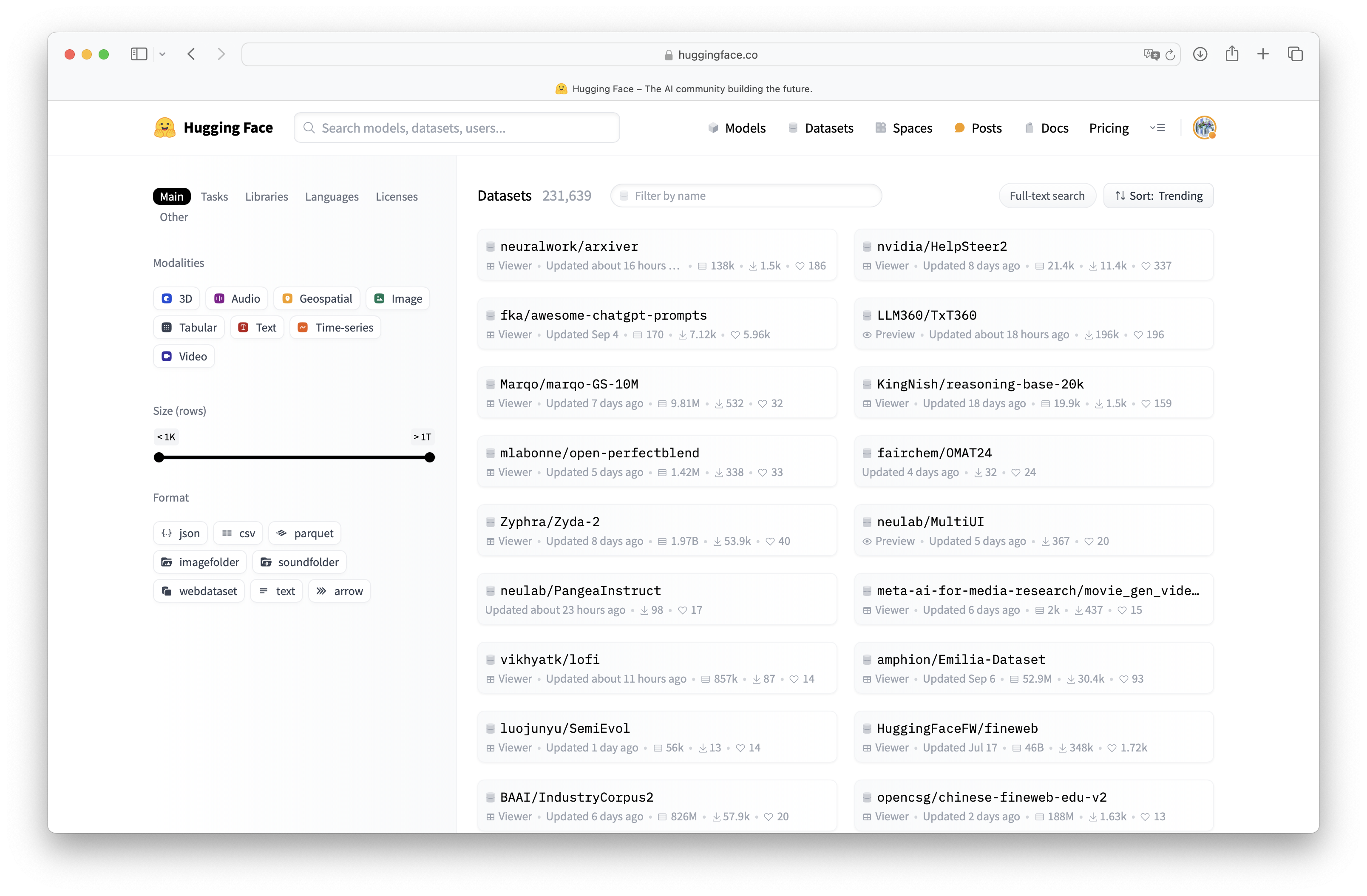
所有被托管的数据集都可以在数据集主页 ⧉查看,利用左侧的选项可以更快地筛选出符合需求的数据集。
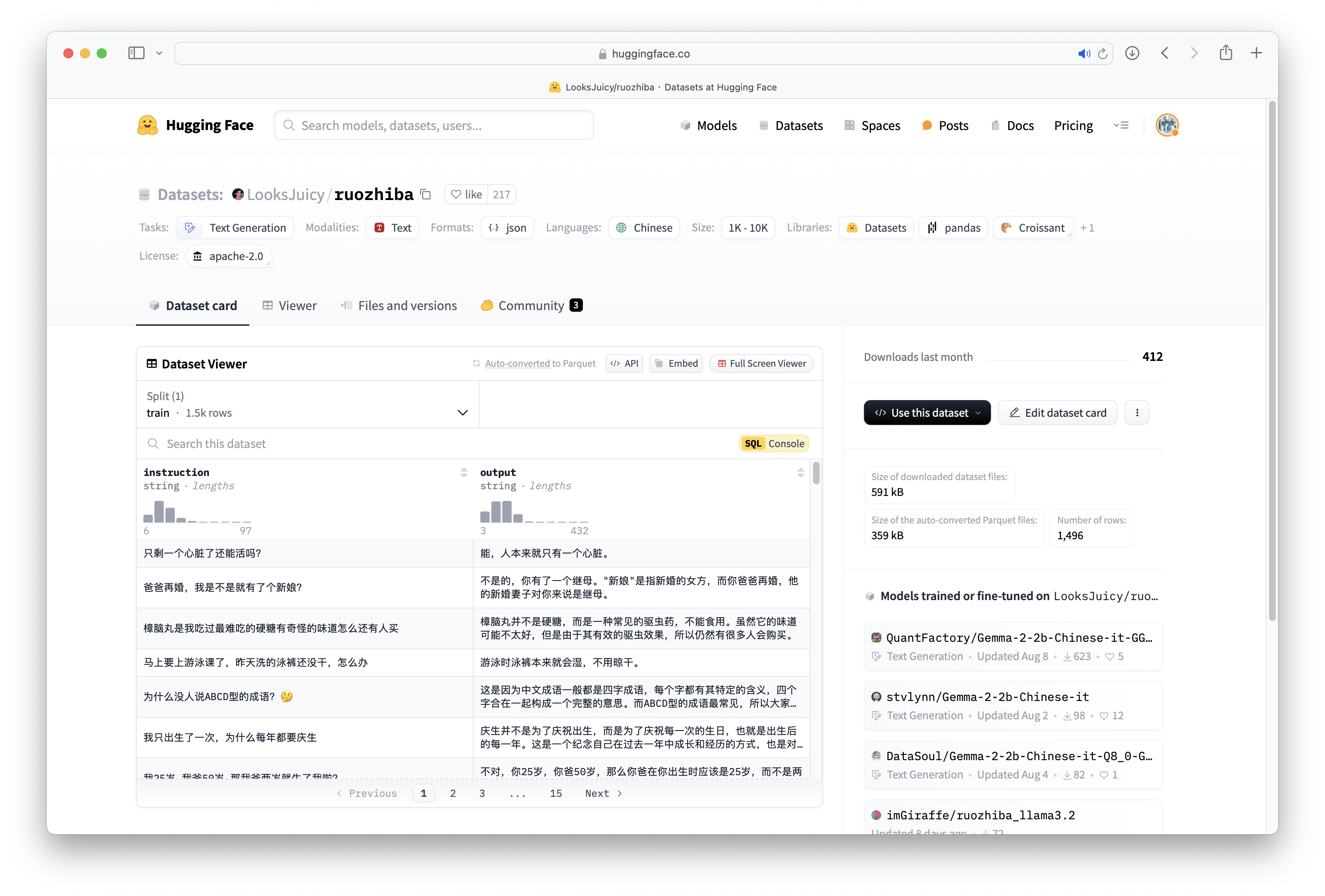
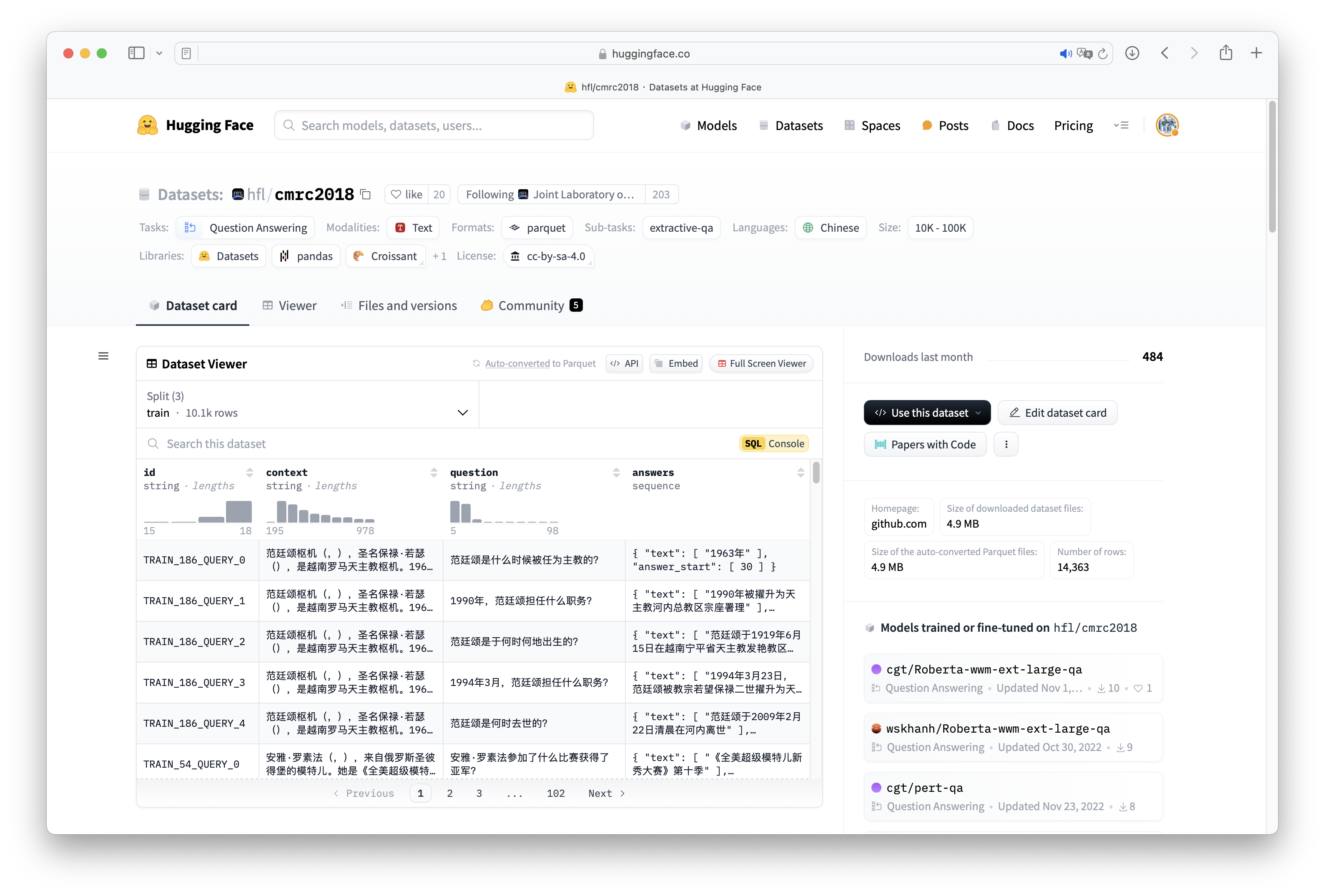
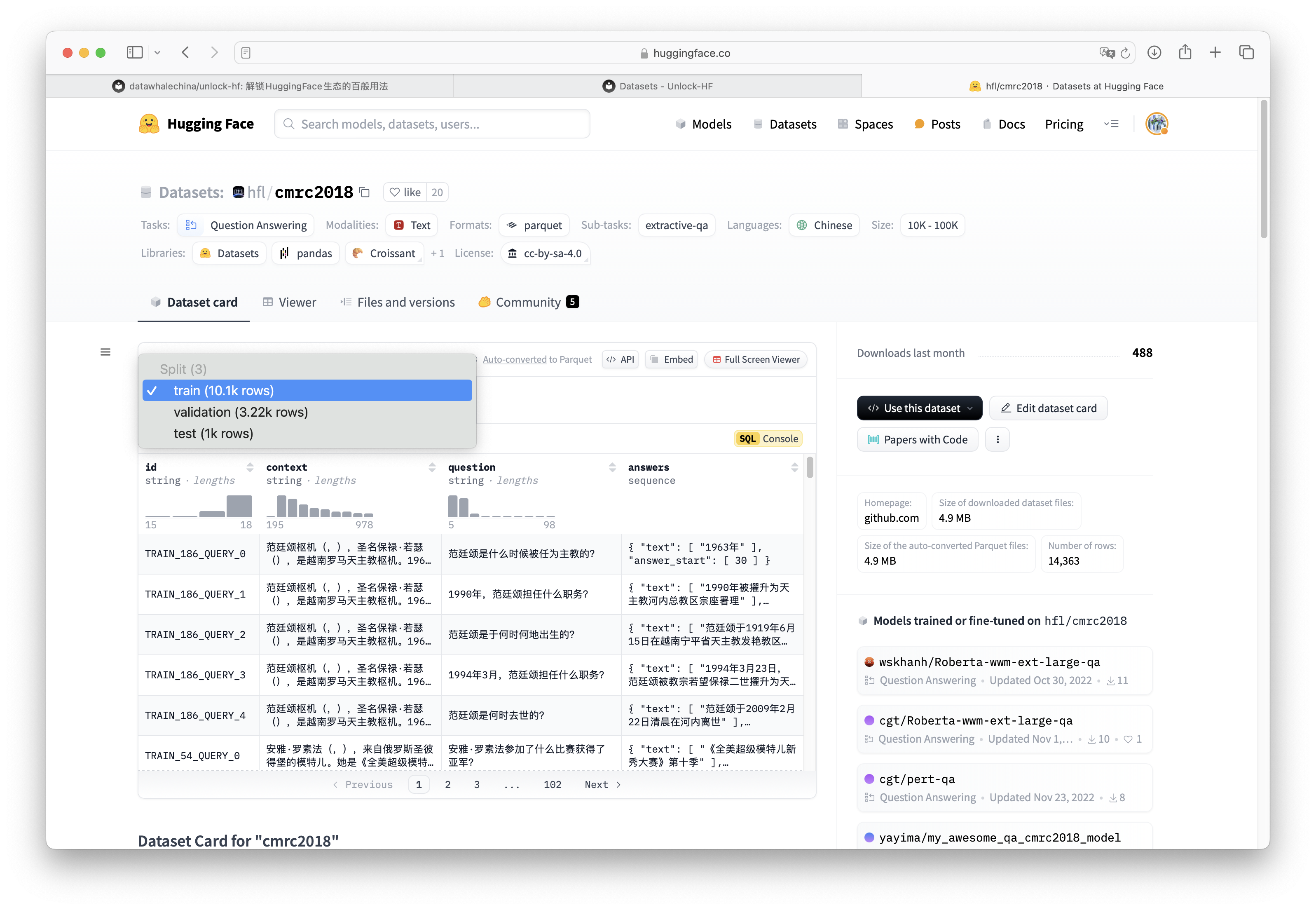
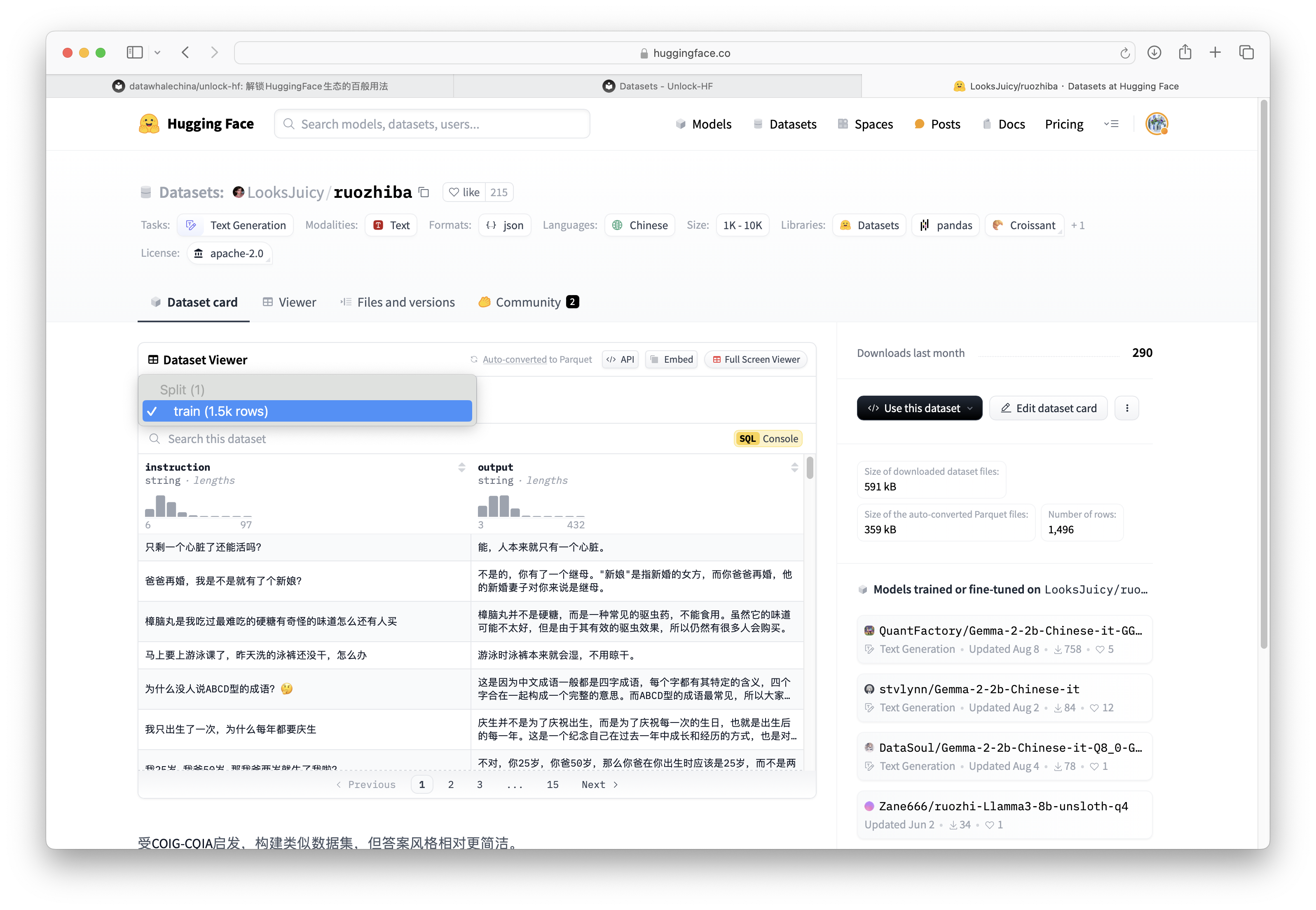
经过选择后,可以打开数据集介绍页查看详细信息。对于每个数据集都会有其独特的仓库路径,待会加载数据集时,函数会根据仓库路径自动从 Hub 下载并加载数据集,例如下图的仓库路径为 LooksJuicy/ruozhiba,再比如另一个仓库路径为 hfl/cmrc2018。
当开发者选定了数据集后,便可以使用 load_dataset 函数根据仓库 ID 加载数据集。
| data | |
|---|---|
通过返回结果可以看出 data 的数据类型为 DatasetDict,它是 Datasets 库中重要的数据类型。
train_test_split
并非所有数据集都包含训练集、验证集和测试集。有些数据集可能只有一个或两个子集。 对于数据集 hfl/cmrc2018 存在训练集、验证集和测试集。但是对于 LooksJuicy/ruozhiba 却只存在训练集。
在实际的开发中,可以使用 train_test_split 函数将训练集划分为训练集和测试集。
DatasetDict 就像一个 Python 字典,它包含多个数据集,每个数据集都有一个名字作为键和对应的数据集对象作为值。
开发者可以像访问普通字典一样访问 DatasetDict 中的数据集。
| train_dataset | |
|---|---|
| len(dataset_dict["validation"]) | |
|---|---|
在使用 load_dataset 的时候还有一个参数值得被关注,那就是 split,对于一个数据集,split 可以是键或者键组成的列表以表示加载哪部分数据。
- 如果使用
data = load_datase("hfl/cmrc2018")时不指定split,那么data会像下面一样。
| Python | |
|---|---|
- 如果使用
data = load_datase("hfl/cmrc2018", split='train'),那么data会像下面一样。
| split='train' | |
|---|---|
- 如果使用
data = load_datase("hfl/cmrc2018", split=["train", "test"]),那么data会像下面一样。
| split=["train", "test"] | |
|---|---|
配置
配置 (Configurations)
- 一些数据集包含多个子数据集,子数据集又可能包含训练集、测试集和验证集。例如
Minds-14数据集,每个子数据集包含不同语言的音频数据。这些子数据集被称为配置 (configurations)。 - 在加载有不同配置的数据集时,需要明确选择一个配置。可以使用
get_dataset_config_names()函数检索数据集的所有可用配置列表。例如,get_dataset_config_names("PolyAI/minds14")返回Minds-14数据集的所有可用语言配置列表。 - 加载数据集时,指定要加载的配置,例如
load_dataset("PolyAI/minds14", "fr-FR", split="train")加载法语训练集。
Dataset 方法介绍
add_column 方法
该方法向数据集中增加一列数据。以下是该方法的参数表格。
| 参数名称 | 数据类型 | 默认值 | 说明 |
|---|---|---|---|
name | str | 列名 | |
column | list or numpy.array | 所要添加的数据 | |
new_fingerprint | |||
feature | FeatureType or None | None | 列数据类型 |
| Python | |
|---|---|
下面是使用 ds.to_pandas() 方法获取的数据。
| text | label |
|---|---|
| compassionately explores the seemingly irreconcilable contradictions of love and faith | 1 |
| the soundtrack alone is worth the price of admission | 1 |
| rodriguez does a splendid job of racial profiling in a balanced and complex way | 1 |
| beneath the film's obvious determination to shock lies genuine intelligence and insight | 1 |
| bielinsky is a filmmaker of impressive talent | 1 |
| \(\cdots\) | \(\cdots\) |
现在调用 add_column 方法向原有数据增加一列数据,在这里将列名为 text 列的数据添加数据集中,并命名为 new_column。
下面是变化后的数据。
| text | label | new_column |
|---|---|---|
| compassionately explores the seemingly irreconcilable contradictions of love and faith | 1 | compassionately explores the seemingly irreconcilable contradictions of love and faith |
| the soundtrack alone is worth the price of admission | 1 | the soundtrack alone is worth the price of admission |
| rodriguez does a splendid job of racial profiling in a balanced and complex way | 1 | rodriguez does a splendid job of racial profiling in a balanced and complex way |
| beneath the film's obvious determination to shock lies genuine intelligence and insight | 1 | beneath the film's obvious determination to shock lies genuine intelligence and insight |
| bielinsky is a filmmaker of impressive talent | 1 | bielinsky is a filmmaker of impressive talent |
| \(\cdots\) | \(\cdots\) | \(\cdots\) |
注意
确保添加的数据和原数据的数目一致,否则抛出错误:ValueError: Failed to concatenate on axis=1 because tables don't have the same number of rows。
add_item 方法
该方法向数据集中增加一条数据。以下是该方法的参数表格。
| 参数名称 | 数据类型 | 默认值 | 说明 |
|---|---|---|---|
item | dict | 要添加的数据样本。 |
现在调用 add_item 方法向原有数据增加一条数据。
| Python | |
|---|---|
from_pandas 方法
该方法利用 pandas.DataFrame 创建数据集。以下是该方法的参数表格。
| 参数名称 | 数据类型 | 默认值 | 说明 |
|---|---|---|---|
df | pandas.DataFrame | 包含数据集的 DataFrame。 | |
features | Features | None | 数据集特征。 |
info | DatasetInfo | None | 数据集信息。 |
split | NamedSplit | None | 数据集分割的名称。 |
preserve_index | bool | None | 是否将索引存储为结果中一个附加列。如果为 None,则将索引存储为一列,除了 RangeIndex 之外会作为元数据。使用 preserve_index=True 强制存储为一列。 |
下面创建 DataFrame 数据案例。
使用方法 from_pandas 从 DataFrame 创建数据集。
from_dict 方法
该方法将字典转换为 pyarrow.Table 以创建数据集。以下是该方法的参数表格。
| 参数名称 | 类型 | 默认值 | 说明 |
|---|---|---|---|
| mapping | Mapping | 字符串到数组或 python 列表的映射。 | |
| features | Features | None | 数据集特征。 |
| info | DatasetInfo | None | 数据集信息。 |
| split | NamedSplit | None | 数据集分割的名称。 |
| mapping | |
|---|---|
下面的代码是利用方法 from_dict 最基础的创建方式,只需要传入格式为字典的数据即可。转换过程中,方法会自动推测每列的数据类型。
| Python | |
|---|---|
下面的代码是在基础代码上又传入特征类型 features,作用是:指定数据类型,确保数据一致性和优化加载性能,同时可以避免数据类型推断错误,尤其是当数据复杂时(例如有嵌套结构或非标准类型)。
| Python | |
|---|---|
| ds.features | |
|---|---|
下面的代码是在基础代码上加入描述和引用信息 info,方便数据集文档化和展示详细信息。
| Python | |
|---|---|
下面的代码是在基础代码上加入数据集分割信息 split,用于将数据集分为训练集、测试集或验证集。
| Python | |
|---|---|
from_generator 方法
| 参数名称 | 类型 | 默认值 | 说明 |
|---|---|---|---|
generator | Callable | 生成器函数,用于逐个生成数据实例,迭代每条数据。 | |
features | Features | None | 数据特征类型。 |
cache_dir | str | ~/.cache/huggingface/datasets | 缓存目录,用于保存下载的数据。可以指定不同位置,以便管理和存储大规模数据集。 |
keep_in_memory | bool | False | 是否将数据保存在内存中。若设置为 True,数据将被加载至内存,适合小数据集处理。 |
gen_kwargs | dict | None | 传递给生成器函数的关键字参数字典。可以定义分片数据集,适合大数据分布式处理场景。 |
num_proc | int | None | 本地下载或生成数据集时使用的进程数。启用多进程可以加速多文件数据集的加载,适合分布式数据处理场景。 |
split | NamedSplit | Split.TRAIN | 数据集分割的名称。 |
kwargs | 传递给 GeneratorConfig 的其他关键字参数,用于进一步配置生成器。 |
下面的代码是利用方法 from_generator 从迭代器创建数据的基础案例。
| Python | |
|---|---|
| ds | |
|---|---|
data 方法
该方法会返回数据集的底层数据结构(由 Apache Arrow 库提供的表格格式)。
| Python | |
|---|---|
cache_files 方法
该方法会返回数据集的缓存地址。
| ds.cache_files | |
|---|---|